Free Model Download
Cable Clip for Printer Cable
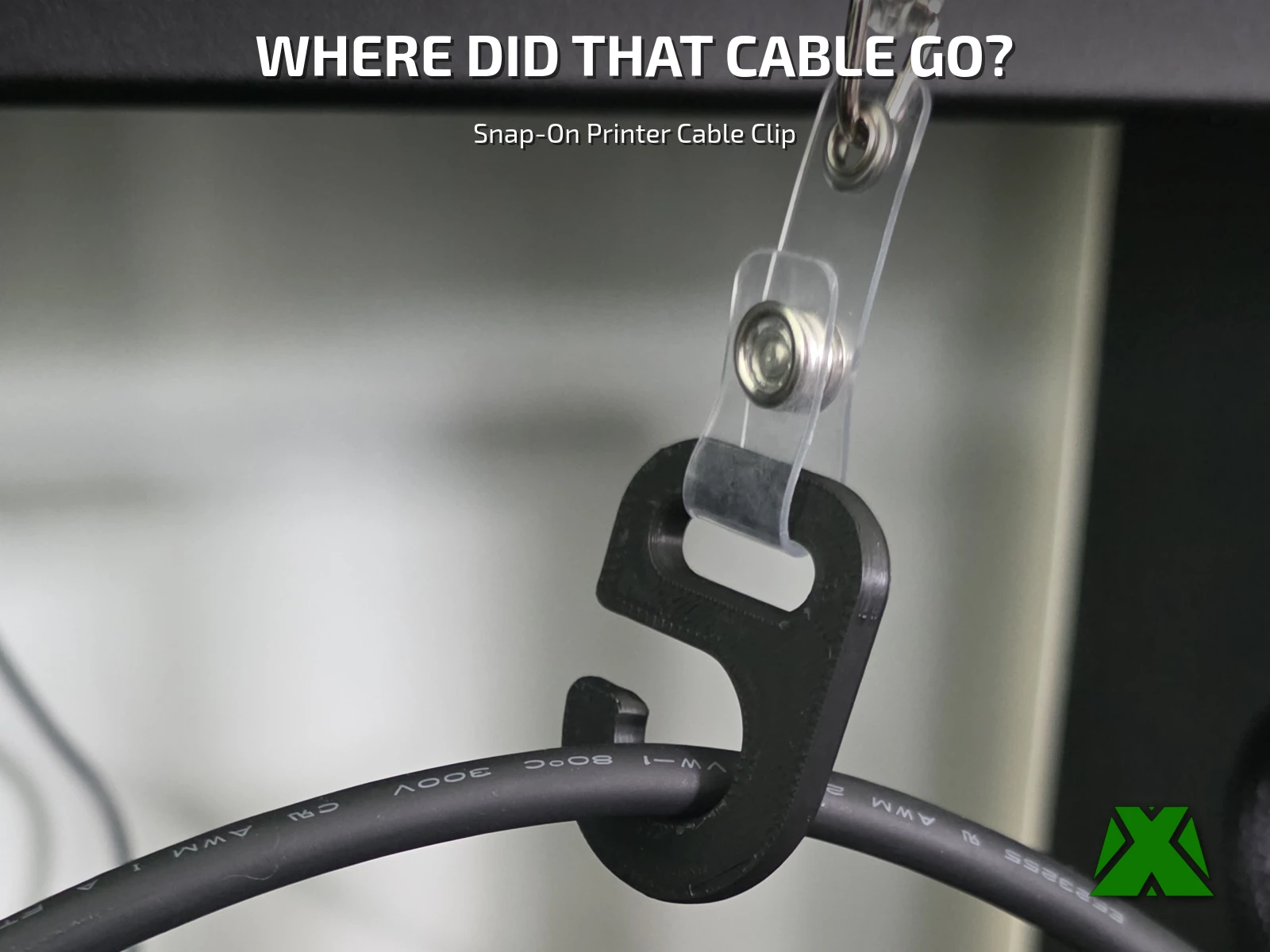
The X-axis cable on my printer had started to sag across the front of the camera watching my prints, heading for the point where it would touch a tall part. This lifts it and gently tensions it — no zip ties. Two parts on one plate: the hook that snaps onto the cable, and a 50 x 75 mm plate that mounts a retractable badge reel. About 30 minutes, no supports, no brim.
Downloads
Get the Files
Files are published on Creality Cloud with slicer profiles included. Download the 3MF for the fastest path from file to first print — both parts are already arranged on one plate.
Every download through Creality Cloud earns points that help keep my models free and my pages running. If you have an account, downloading from there is the best way to support the work at no cost to you.
Download on Creality CloudThe same guide attached to the model listings, hosted here so you can read it before you print —
Print Settings
Slice It Right
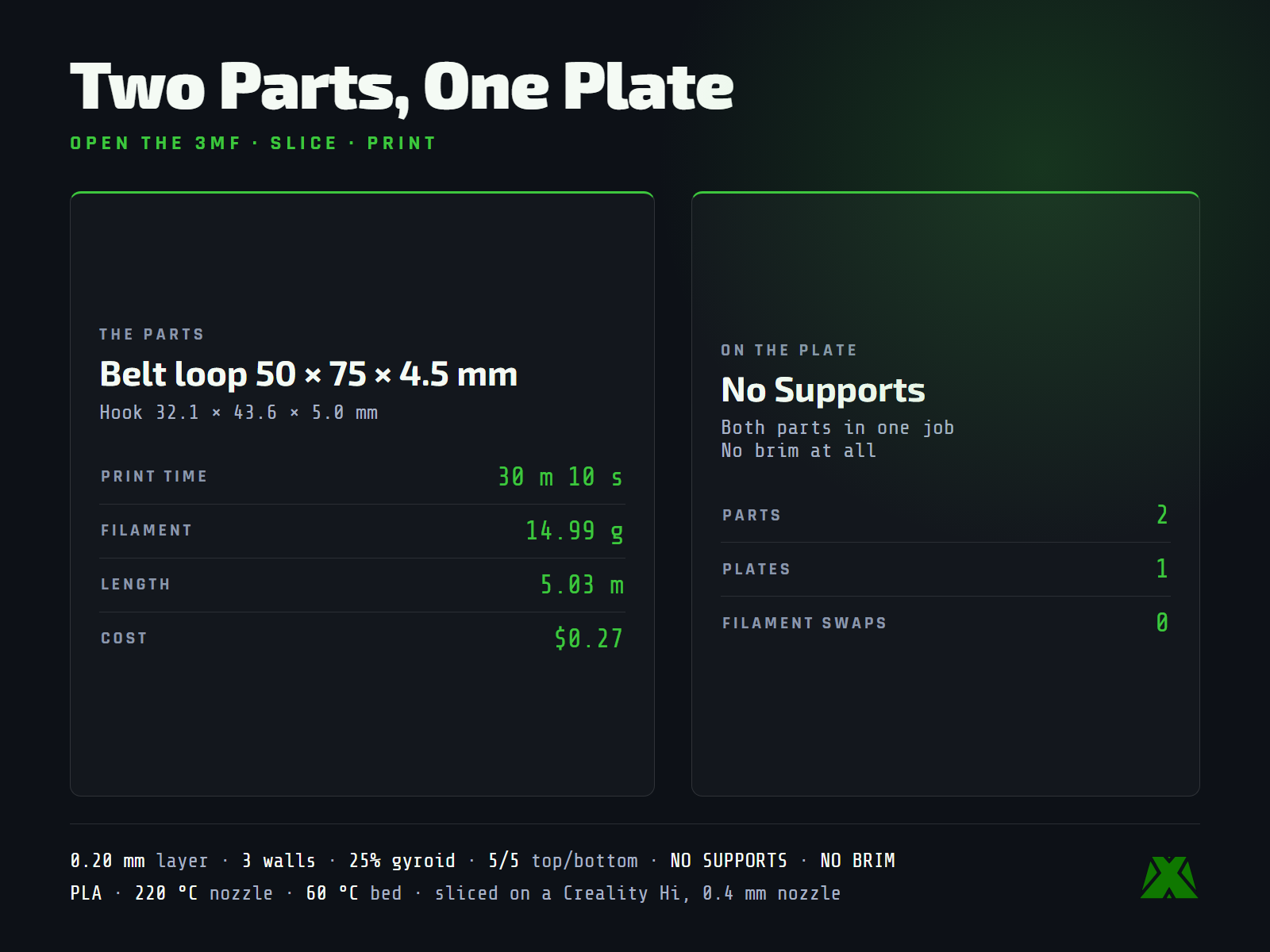
Nothing overhangs, so there are no supports and no brim — both parts print flat on one plate in a single job. PLA is fine. The hook geometry holds the cable snug without pinching it, so there is no fatigue point that flexes on every layer.
The Reel
Pairs With a Badge Reel
Clip the cable, hook the reel, and the slack disappears. The plate takes a reel's steel belt clip through its slot, or screws down flat through its two countersunk holes — mine is screwed under the hutch above the printer, which lifts the cable clear of the camera and the build area in one move.
Retraction force is the thing to check: the wrong reel drags on the printhead. I chose the Key-BAK Mini-BAK (36" nylon cord, steel belt clip, model 0057-005), which pulls at just 2 oz — enough to take up slack, nowhere near enough to load the motion system or pull a print off course. The reel is not included in the download.
More models and tested slicer settings on my Creality Cloud profile.
View ProfileReleased under CC BY-NC-ND 4.0 — free for personal use, credit appreciated, no commercial use or derivatives.