3D Printer Utilities
Browser-based utilities for 3D printing makers. No install required — everything runs locally in your browser.

3D Print Analyzer
All-in-one STL viewer, filament estimator, and cost calculator. Load an STL for automatic weight and time estimation with a 3D preview, or skip the file and enter weight manually. Includes electricity cost and selling price calculator.
Available Now
NEW & IMPROVED 2.2
3D File Sorter
Free Windows desktop app for organizing your STL, 3MF, OBJ, PLY, STEP, and ZIP file library. New in 2.2: OBJ and PLY preview, better 3MF reading for slicer exports, and an in-app User Guide. One-click AUTO sort groups a whole folder into category folders, plus sort by name, date or size and tick-to-preview. Browse files in a sidebar, preview models in 3D, rename, move to subfolders, bulk move or delete with multi-select, and get instant print estimates — all without leaving the app.
Windows App · 2.2
NEW
Parametric Model Generator
Make your own printable models in the browser — no CAD required. Build a keychain in many shapes, a box or tray with a slip-fit lid, a round pot with a lid, or a dog & cat collar tag. Add raised text, preview in 3D, then download print-ready STLs (body and lid separately) that print flat with no supports.
Available Now
NEW
Calibration Print Generator
Build your own calibration prints in the browser — temperature tower, tolerance/fit gauge, retraction stringing test, and pressure-advance tower. Set the parameters with live 3D preview, then download a print-ready STL. For the tower tests it also generates copy-ready per-height G-code so the temperature or PA value actually changes as the print rises — the part most generators leave out.
Available Now
NEW
Surface Texturizer
Upload an STL or OBJ and emboss a real, printable texture onto its outer surfaces — 17 patterns including woodgrain, knurl, honeycomb, brick, fuzzy skin, scales and brushed. The mesh is genuinely displaced (not a render trick), so the texture prints. Set feature size and depth with a live 3D preview, then download a textured print-ready STL. Runs entirely in your browser — nothing is uploaded.
Available Now
NEW

Troubleshooting Guide
Diagnose and fix the most common FDM print failures — bed adhesion, under-extrusion, warping, stringing, delamination, heat creep, and more. Searchable by symptom, filterable by category, with a printable PDF for offline use next to your printer.
Available Now

Image Enhancer
Adjust brightness, contrast, saturation, sharpness, and clarity on your print photos. Crop to any aspect ratio and export as PNG, JPEG, WebP, or BMP. Batch process multiple files at once.
Available Now
Tolerance & Fit Calculator
FDM-specific fit tolerances for shaft-in-hole assemblies. Choose a fit class — Loose, Clearance, Slip, Light Press, or Press — and get exact CAD dimensions with FDM hole-shrinkage correction baked in. Supports mm and inches with material-specific corrections.
Available Now

3D Printing Unit Converter
Six 3D-printing-focused converters in one place — length, temperature, nozzle-to-layer ratios, filament flow, grams to meters, and speed units. All live, all in your browser.
Available Now
NEW
Design & Pre-Print Tools
Three design-stage tools in one. A support strategy advisor that recommends tree vs. normal supports from your model's geometry, an overhang printability calculator that shows safe angles per material and cooling, and a wall thickness checker for minimum viable, gap-free walls.
Available Now
NEW
Materials & Settings Tools
Three material tools in one. A filament drying guide with a built-in countdown timer that auto-loads temp and time per material, a multi-material adhesion compatibility chart showing what bonds to what, and a shrinkage compensation calculator that generates the exact scale factor to hit your target dimension.
Available Now
NEW

Post-Processing Tools
Three finishing tools in one. An acetone vapor smoothing walkthrough for ABS/ASA with a built-in exposure timer and safety checklist, a material-specific painting and priming routine builder, and a heat-set threaded insert reference with hole sizes and iron temperatures by size and filament.
Available Now
Gridfinity Layout Planner
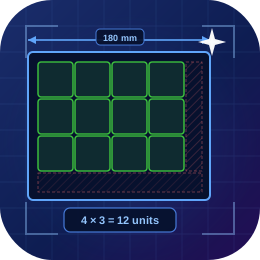
Enter your drawer or shelf dimensions and get an exact Gridfinity grid layout — columns, rows, total units, wasted edge space, and centering offsets. Works with any grid unit size, not just the 42 mm standard.
Available Now
Infill Pattern Visualizer
Visualize and compare common FDM infill patterns — grid, honeycomb, gyroid, lines, and more. Adjust density, line width, and rotation to understand how each pattern fills your part before you print.
Available Now
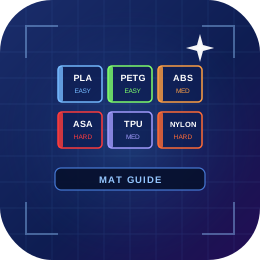
Filament Material Guide
Interactive reference for PLA, PETG, ABS, ASA, TPU, and Nylon. Compare nozzle temps, bed temps, print speed, warp tendency, strength, and flexibility side by side. Filter by difficulty or search by name.
Available Now
NEW
Spool Dimensions Guide
Reference for filament spool outer diameter, width, and bore across 35+ brands. Filter by spool weight (1kg, 500g, 250g) or by Bambu AMS / Creality CFS compatibility, and search by brand. Built for checking spool fit before you buy.
Available Now