MakerX 3D File Sorter — v2.2.1
New OBJ & PLY support · one-click AUTO sort · Sorted Items folder & Sort Check reviewer · in-app User Guide · Windows installer · No internet connection required after install
Windows SmartScreen Warning — Expected & Safe
When you run the installer, Windows Defender SmartScreen will show a blue "Windows protected your PC" dialog. This happens because the app is not signed with a paid Microsoft code-signing certificate — not because it contains anything harmful. The app is safe to install. The complete source code is published on GitHub so you can verify exactly what it does before running it.
To proceed past the warning:
Version 2.0
New & Improved
Version 2.0 adds the biggest time-saver yet — automatic sorting — plus flexible list ordering and instant preview.
AUTO Sort
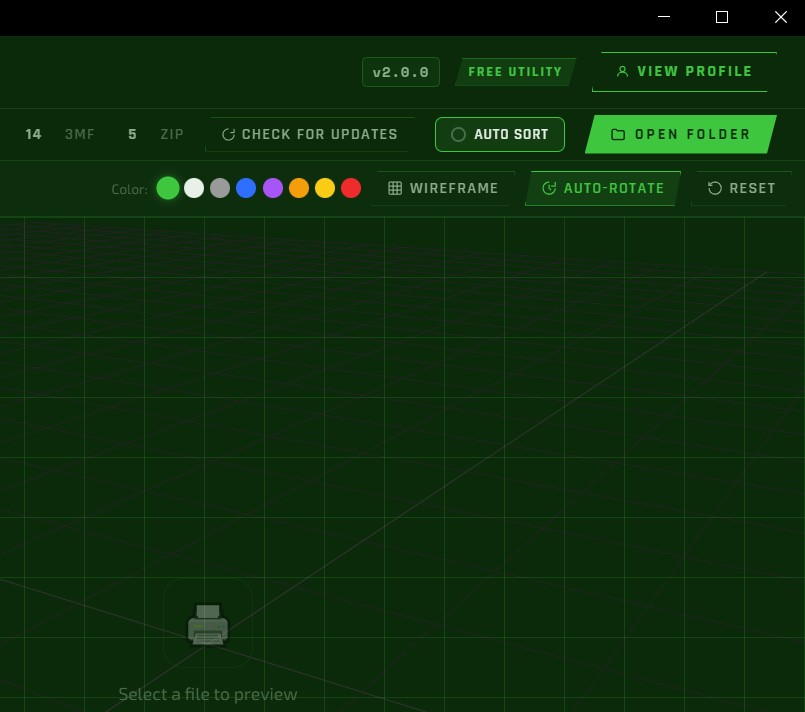
Check AUTO sort in the top bar and the app instantly groups every file in the folder into category folders — Kitchen, Storage, Dragons, Halloween and dozens more, recognizing names in several languages. Each group gets a one-click Move All button, and anything it can’t confidently match is left in a clearly labeled Unsorted list at the bottom. It even suggests a brand-new group when it spots a recurring name, and remembers the groups you approve.
Sort by Name, Date or Size
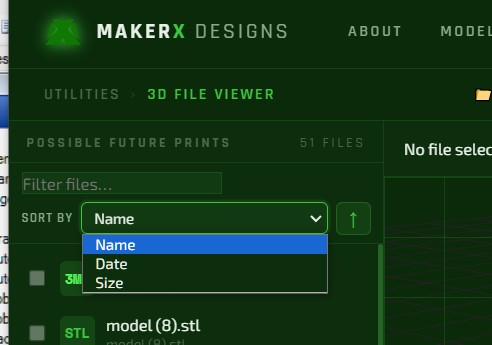
A new Sort by control sits right next to the filter box. Order your files by name, modified date, or size — ascending or descending — so the one you’re after is always easy to find. Your choice is remembered the next time you open the app.
Tick to Preview
Ticking a file’s checkbox now loads it straight into the 3D viewer as well as selecting it — so you can eyeball a model and queue it for a bulk move in a single click. Move or delete the previewed file and the viewer clears itself automatically.
Screenshots
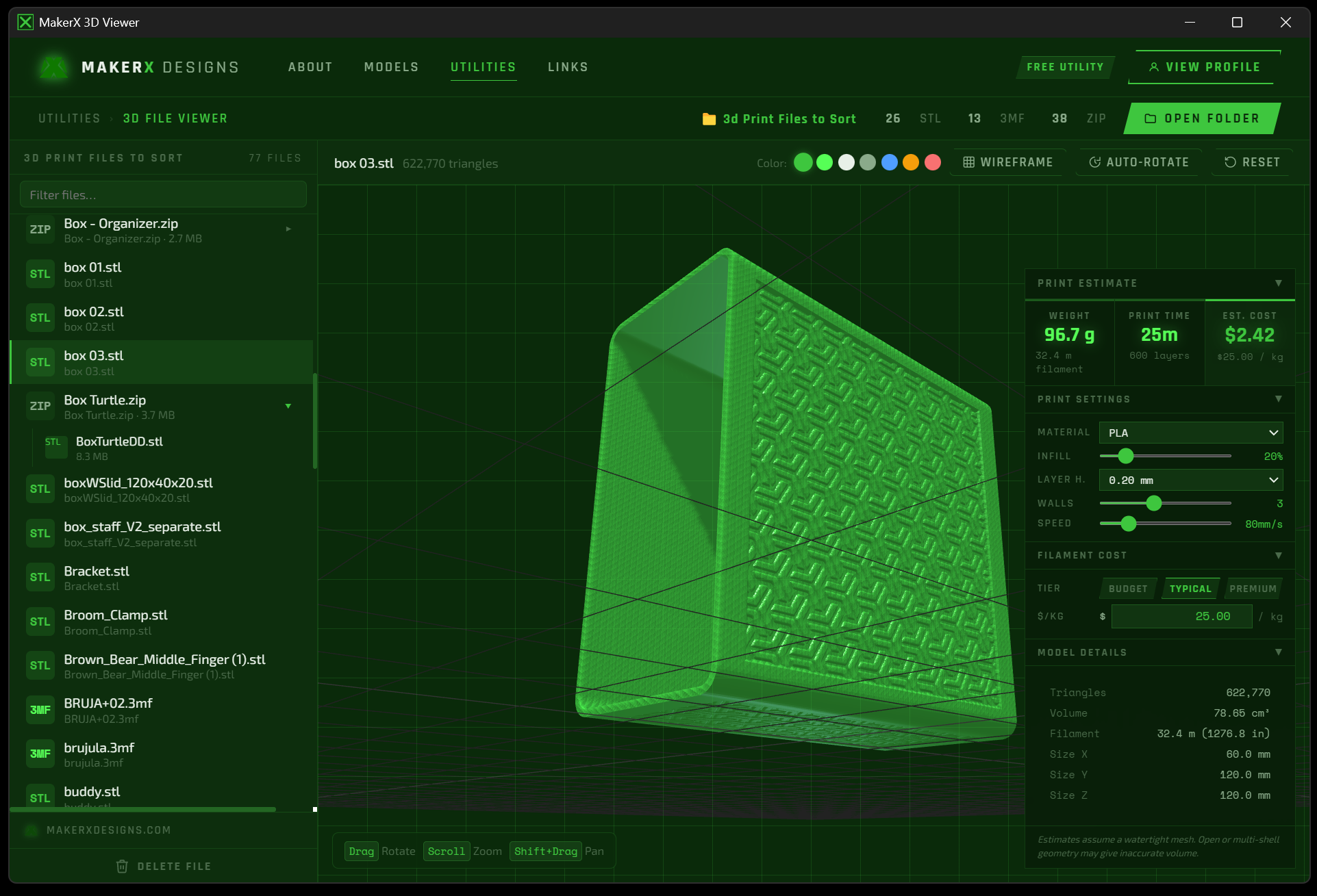
App Preview
Built for makers who accumulate hundreds of downloaded STL and 3MF files and need a fast way to sort them without hunting through Windows Explorer.
Click any image to enlarge
Features
Everything It Does
A closer look at the tools built into every copy.
Getting Started
How to Use It
Download & Install
Download and run the installer above. See the SmartScreen note for how to get past the Windows security prompt.
Open a Folder
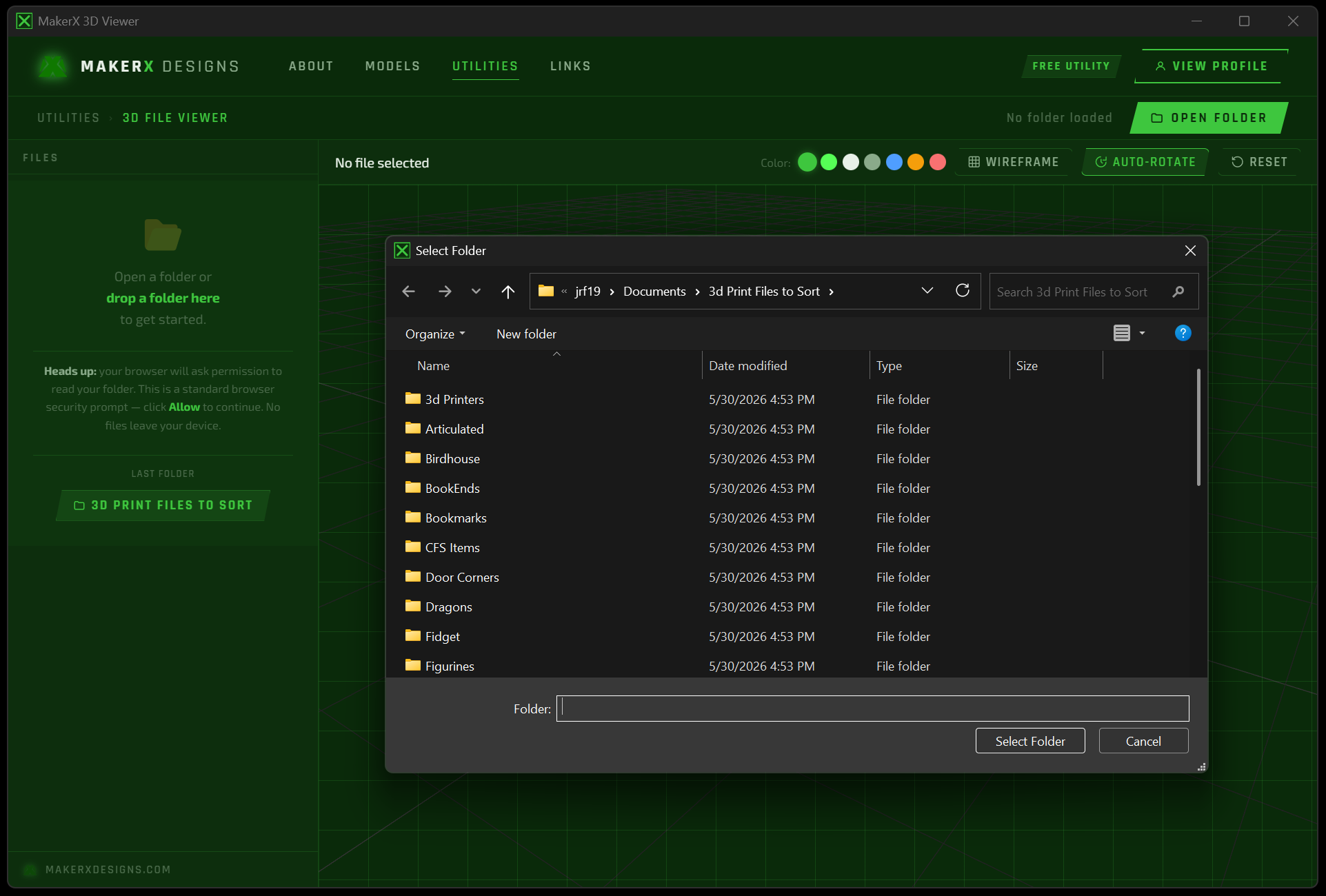
Click Open Folder in the toolbar or drop a folder onto the sidebar. The app scans and lists all supported files.
Browse Your Files
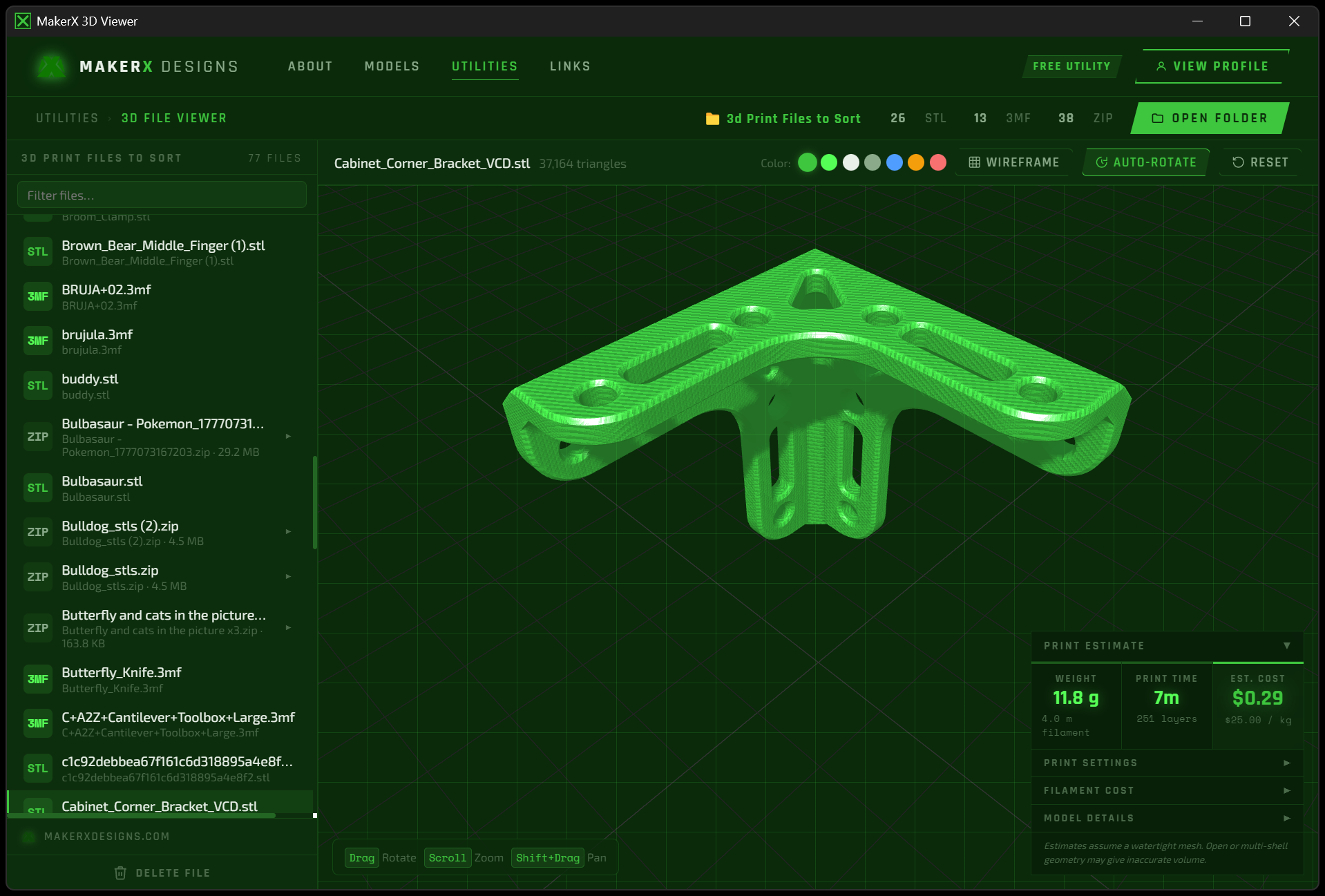
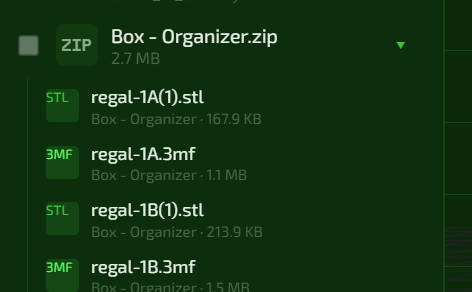
Scroll the sidebar to see all files. Use the new Sort by menu to order them by name, date or size, the search bar to filter by name, and click any ZIP to expand it and see what’s inside.
Auto-Sort a Folder
Tick AUTO sort in the top bar to group everything into category folders automatically, then hit Move All on each group. Approve a suggested new group and it’s remembered for next time; unmatched files wait in the Unsorted list.
Sort & Organize
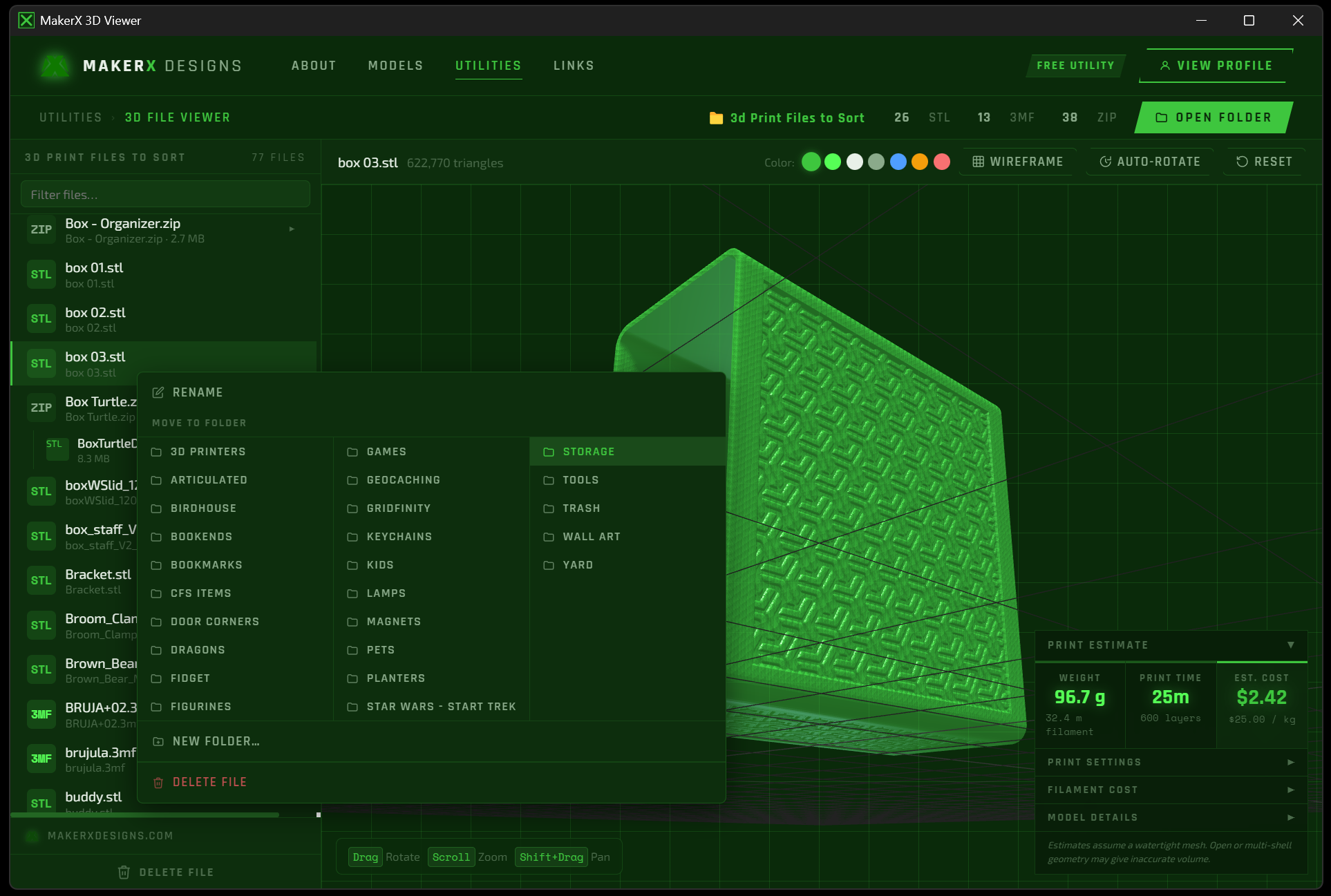
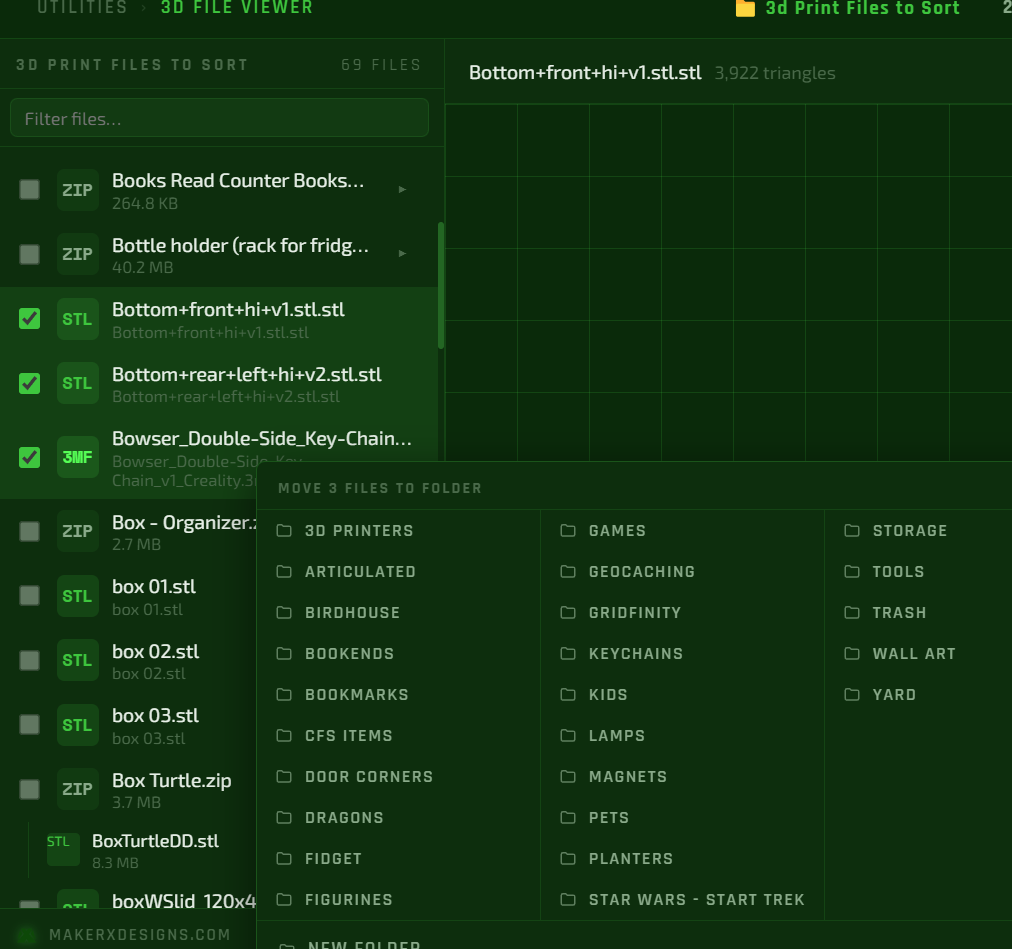
Right-click a file to rename it, move it to a subfolder, create a new folder, or delete it. Or drag files directly onto folder targets.
Bulk Move & Delete
Tick the checkbox next to a file to preview it and add it to your selection. With several checked, use the action bar to move or delete them all at once — right-clicking any checked file applies the action to the whole selection.
Estimate Print Cost
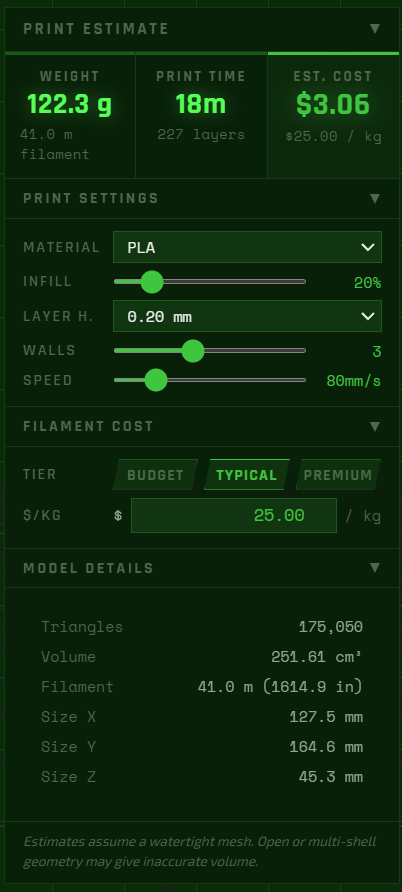
Select any STL, 3MF, or STEP file to see a live print estimate — weight, filament length, print time, and cost. Adjust material, infill, speed, and filament price to match your setup.
Stay Up to Date
Click Check for Updates in the toolbar occasionally — new features and fixes are released regularly. The app will tell you if a newer version is available and link you straight to the download.