Free Model Download
K2 Plus Poop Chute
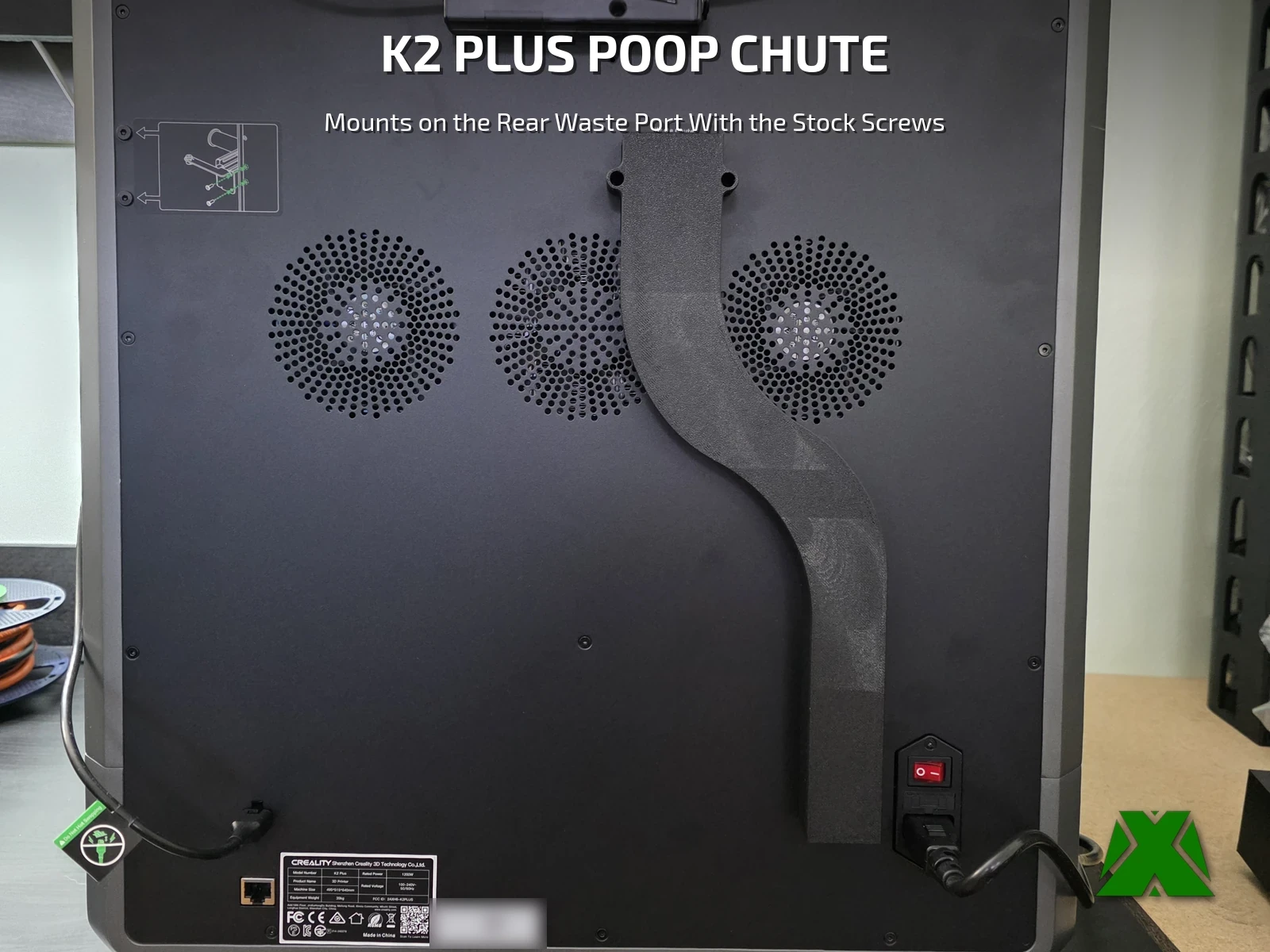
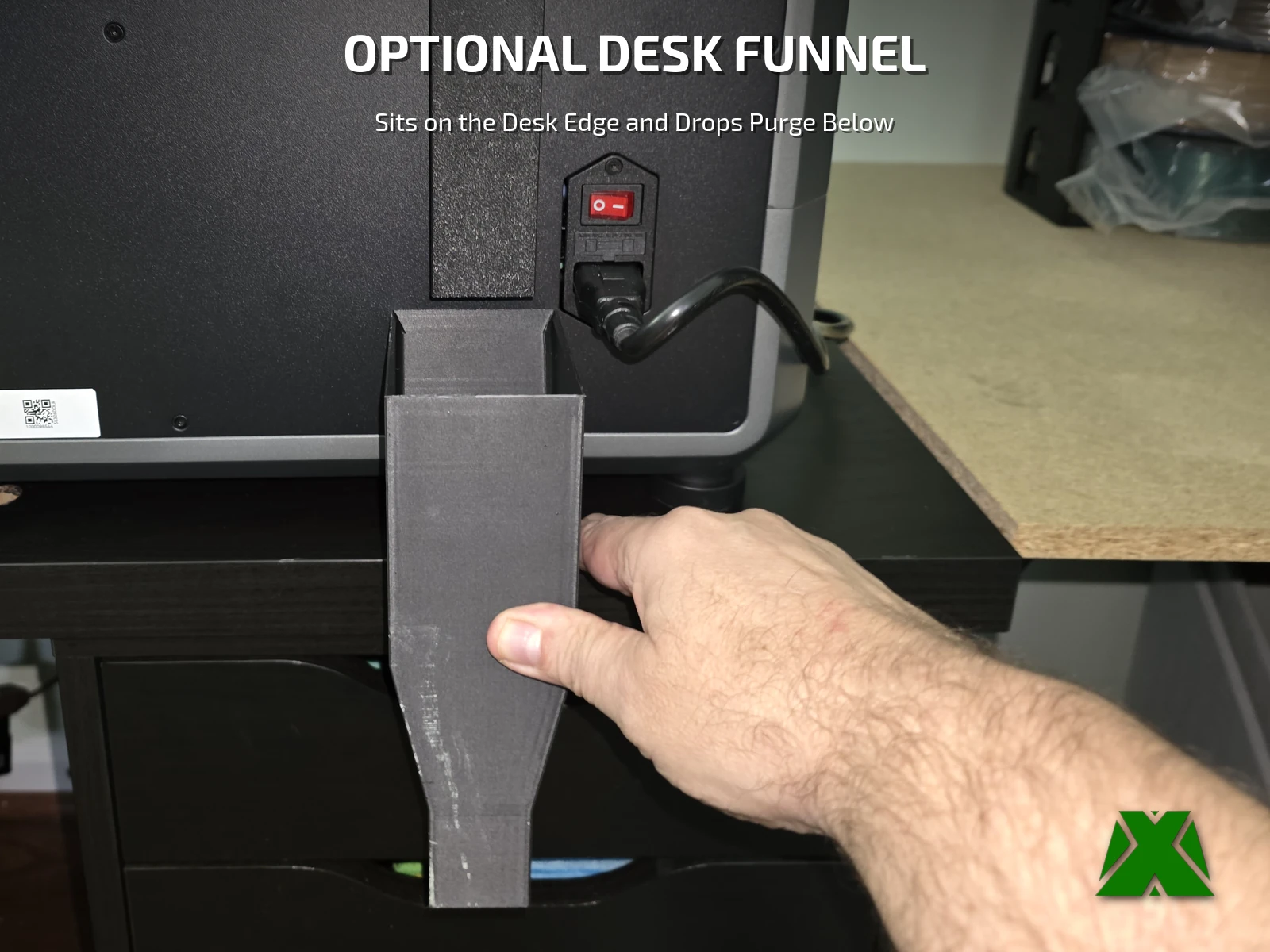
The Creality K2 Plus drops its purge out of a small port on the back panel, and from there it goes wherever gravity takes it. My printer sits at the back edge of my desk, so I wanted that purge carried down the back of the machine and into the trash can under the desk. So I designed this chute, and a small funnel to go with it.
Downloads
Get the Files
One 3MF with two plates, Chute and Desk Funnel, and the tested PET-G profile already set up, plus an STL of each part for bringing your own. It uses the printer’s own screws — no extra hardware.
Every download through Creality Cloud earns points that help keep my models free and my pages running. If you have an account, downloading from there is the best way to support the work at no cost to you.
Download on Creality CloudThe 3MF is the faster path — open it and slice. A full print & install guide is attached to the Creality listing.
The same guide attached to the model listings, hosted here so you can read it before you print —
Before You Slice
Check Your Setup
Made for the Creality K2 Plus — the only model I have measured. The chute is 132 × 325 × 25 mm.
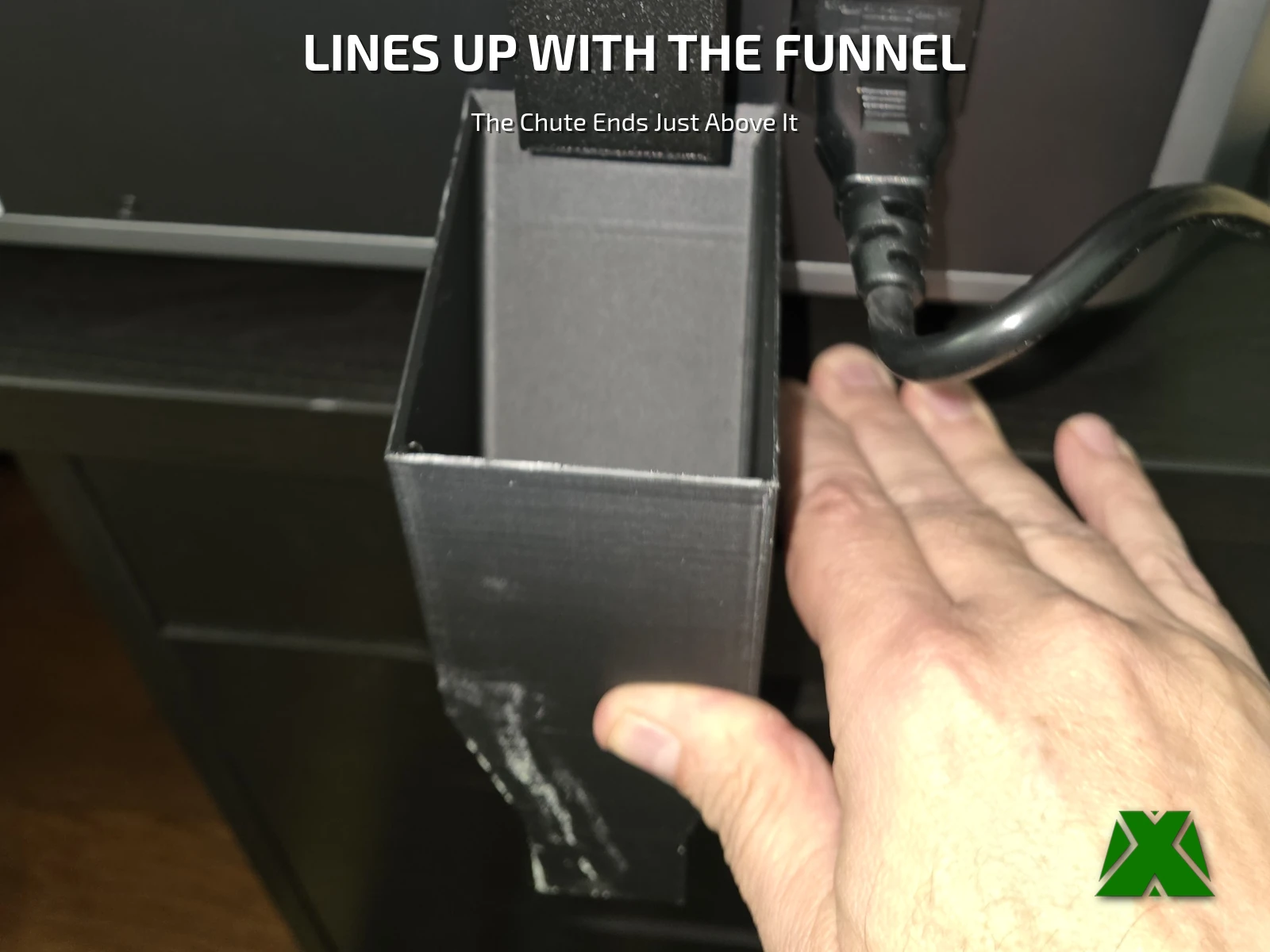
The desk funnel is optional, for a printer at the back edge of a desk. The back of the printer needs to sit 13 mm in from the back edge of the desk, and the funnel’s exit starts 57 mm below the desktop, so a desktop up to about 55 mm thick clears it. The chute ends about 110 mm above the desk, leaving a small gap above the funnel.
Install tip. The factory screws are coarse self-tapping screws, not M3. Start each one through its tab until about 1 mm pokes out the back, then use the tips to find the holes in the printer. They go in nicely.
What Makes It Work
Clear of the Fans, Clear of the Switch
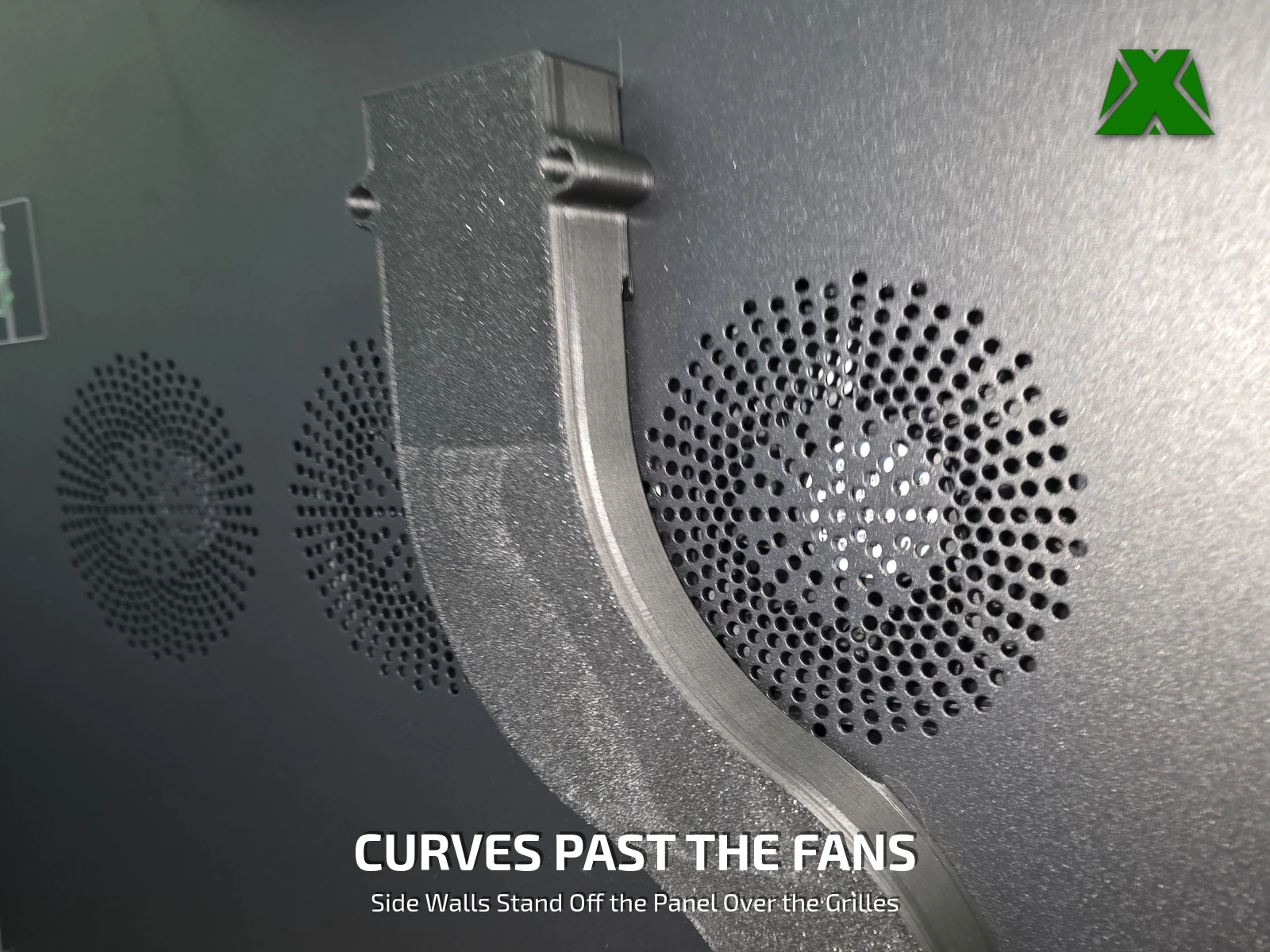
The waste port sits above the rear fans and the power inlet, so a straight chute would block one or the other. This one curves between them.
Print Settings
Slice It Right
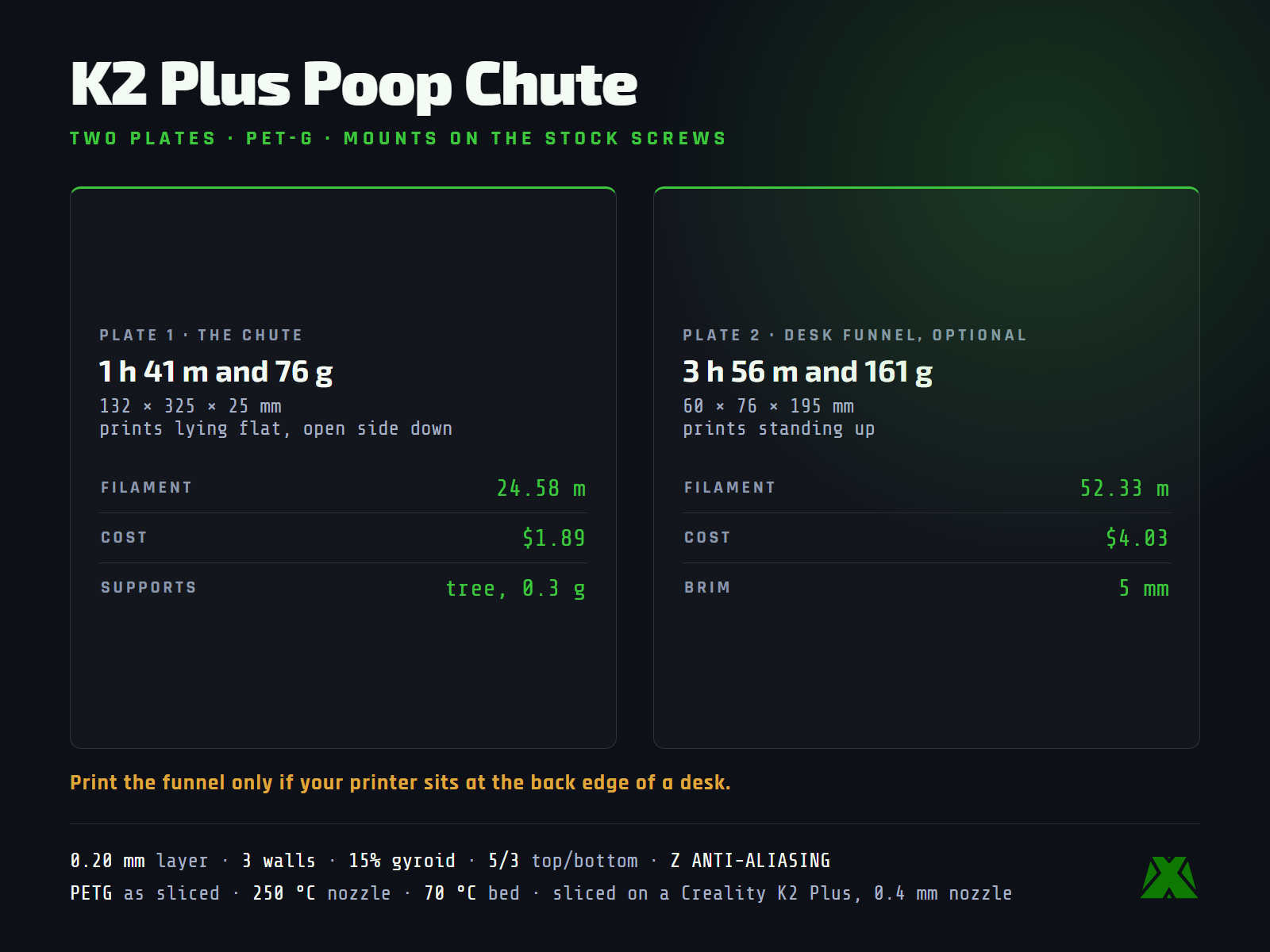
These are the settings baked into the 3MF, sliced on a Creality K2 Plus with a 0.4 mm nozzle. Open it in Creality Print or any slicer that reads 3MF projects and it is ready to go.
The chute is 1 h 41 m and 76 g. It prints lying flat, open side down, with a little tree support (0.3 g).
The desk funnel is 3 h 56 m and 161 g. It prints standing up, with a 5 mm brim.
More models and tested slicer settings on my Creality Cloud profile.
View ProfileReleased under CC BY-NC-ND 4.0 — free for personal use, credit appreciated, no commercial use or derivatives.